For worship teams

Lyrics and chords that scroll with your band

Worship Scroll is a teleprompter for your whole team. Build the set list once, and every musician's phone or tablet scrolls the words and chords hands-free, in time with the song.

No credit card needed. Works on phones, tablets and computers.

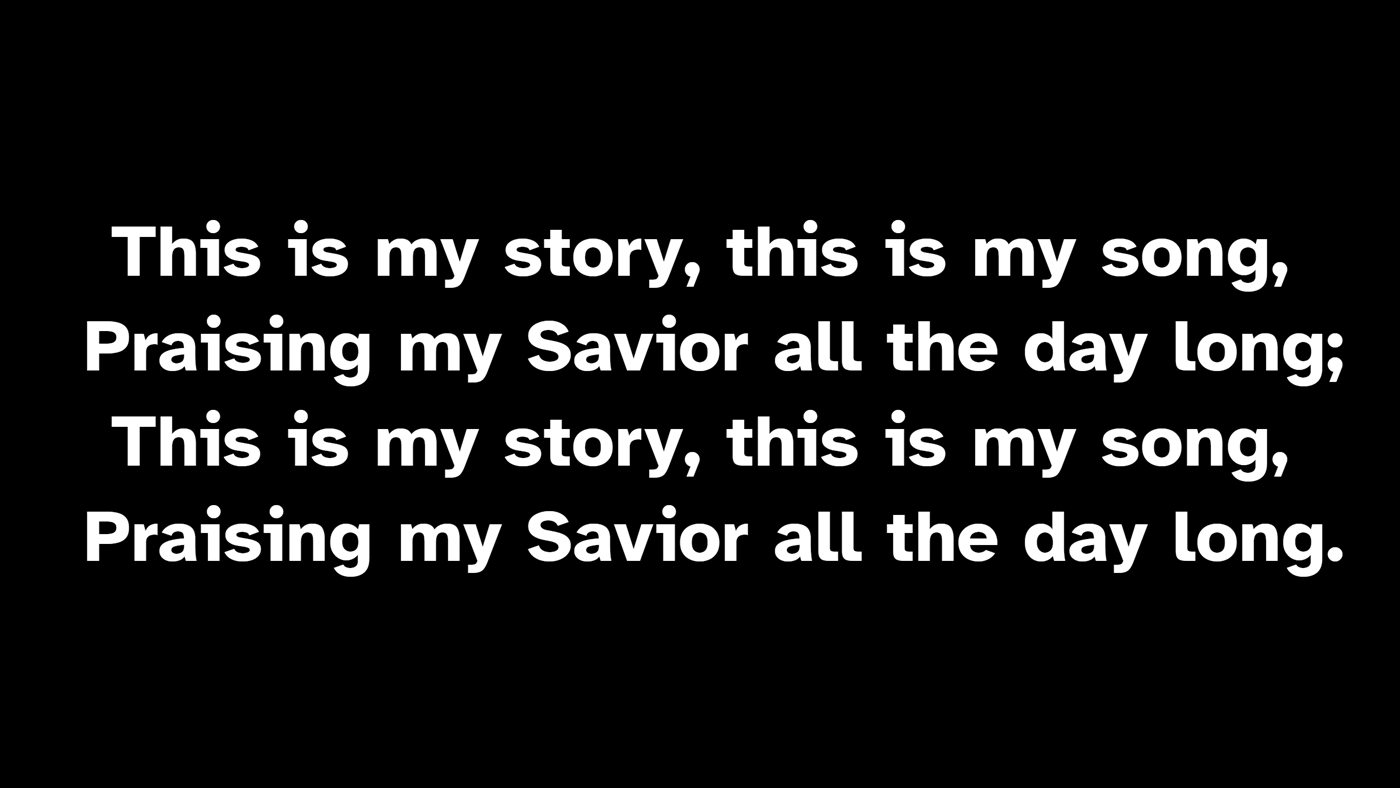
The congregation's lyric slide on the projector
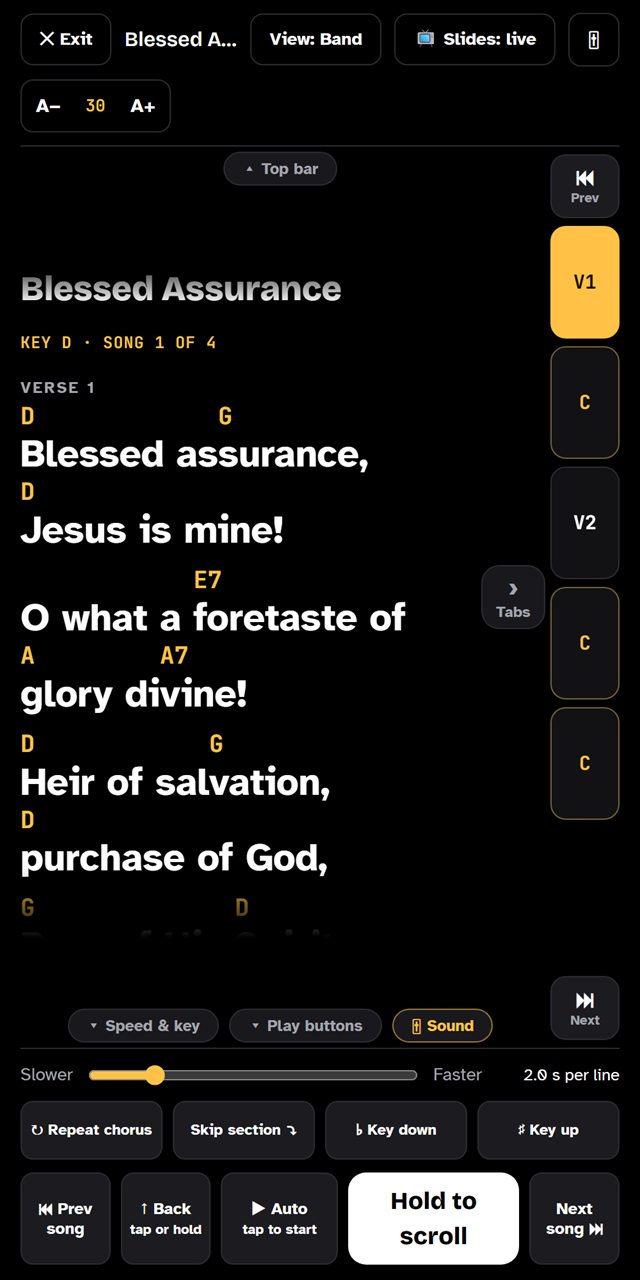
A song scrolling in Worship Scroll's play mode, with chords above the lyrics
Features

Everything Sunday morning needs, in one app

From Thursday rehearsal to the last chorus, the band, the sound desk and the screen all stay on the same page.

Play mode

Hands on your instrument, not your screen

Big, easy-to-read lyrics with chords placed right above the words. The song scrolls on its own at the speed you set, so nobody has to swipe mid-song.

  • Set the scroll speed for each song
  • Hold, jump to the next verse or chorus, or use a foot pedal
  • Readable from a music stand in a dark room
Play mode showing large lyrics with chords
Set lists & arrangements

Plan the set once. Everyone sees it.

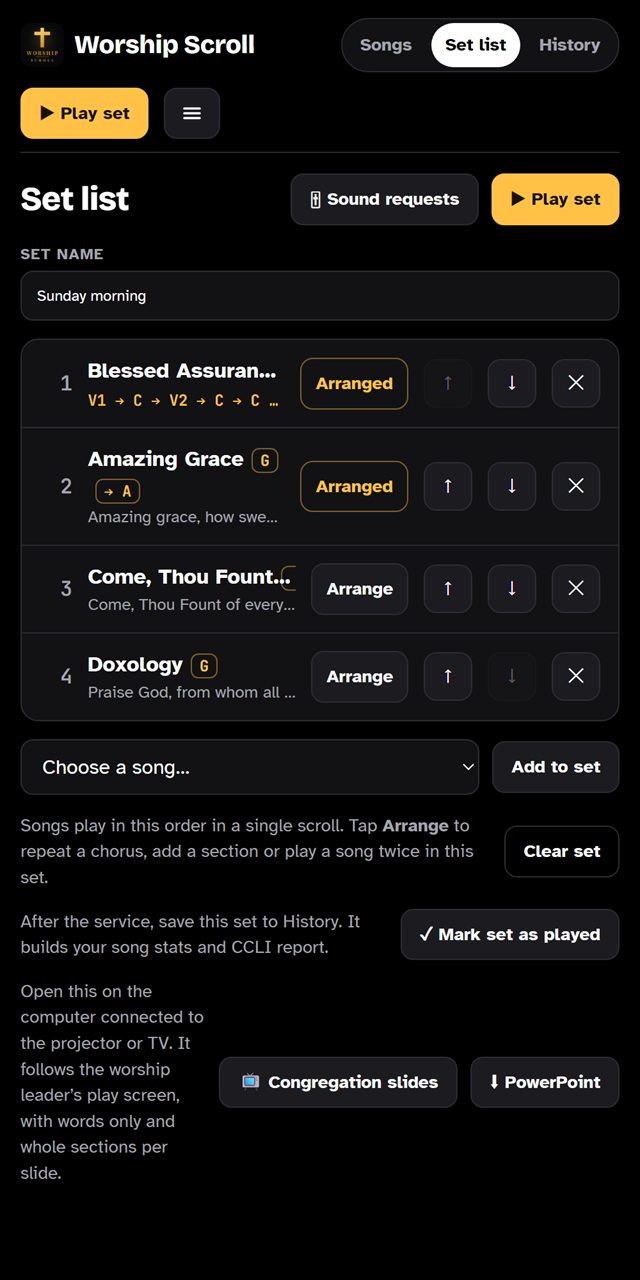
Drag songs into this week's set, choose the key, and lay out the order of verses, choruses and bridges. Changes show up on every musician's device.

  • Transpose to any key, with a capo helper for guitarists
  • Build arrangements like V1, C, V2, C, B, C
  • Keep a library of all your church's songs
A set list with songs, keys and arrangements
Congregation slides

Lyrics on the big screen, from the same set

Open the slides view on the projector computer and the congregation sees clean, chord-free lyrics that follow along with the band. Need PowerPoint? Download the whole set as a slideshow.

Congregation slide showing a chorus in large white text
Sermon slides & notes

The pastor’s slides and notes, in the same app

Upload the sermon slides as a PDF from PowerPoint, Keynote, Google Slides or Canva. The pastor’s notes scroll on their phone like lyrics, and the projector switches to the sermon when the service gets there.

  • The pastor or the media person changes slides, with ◀ ▶ or a clicker
  • Back to the lyrics by itself for the closing song
  • Sermons are deleted automatically after 5 days
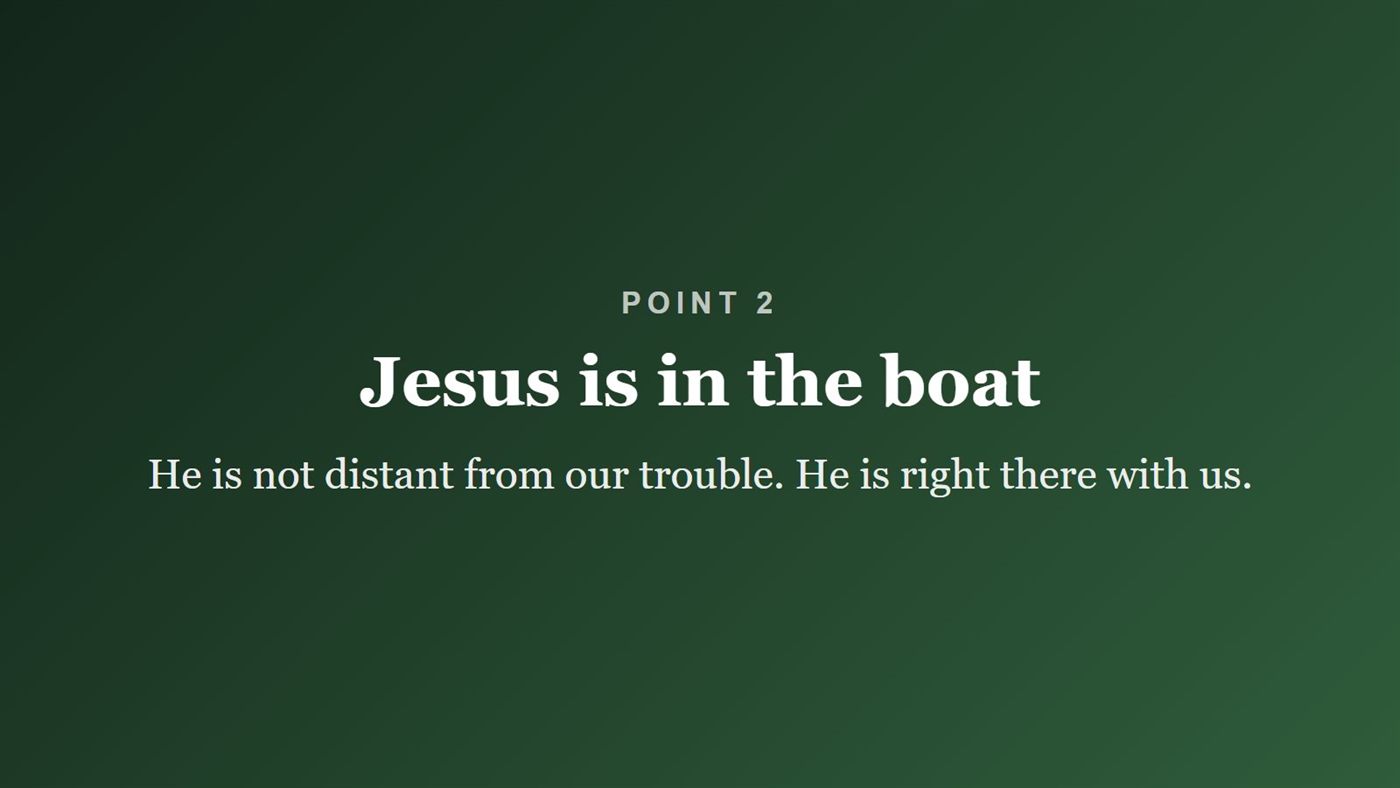
A sermon slide on the projector: Point 2, Jesus is in the boat
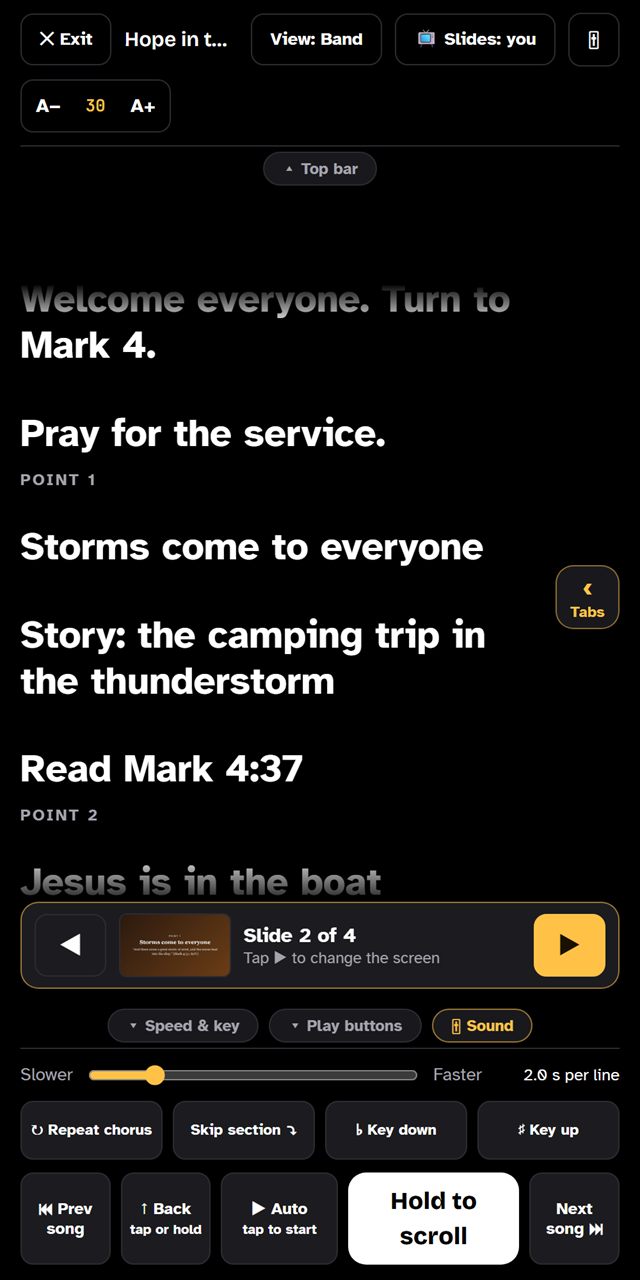
The pastor’s notes scrolling on a phone, with the slide bar showing slide 2 of 4
Sound requests

"More keys in my monitor," without the hand signals

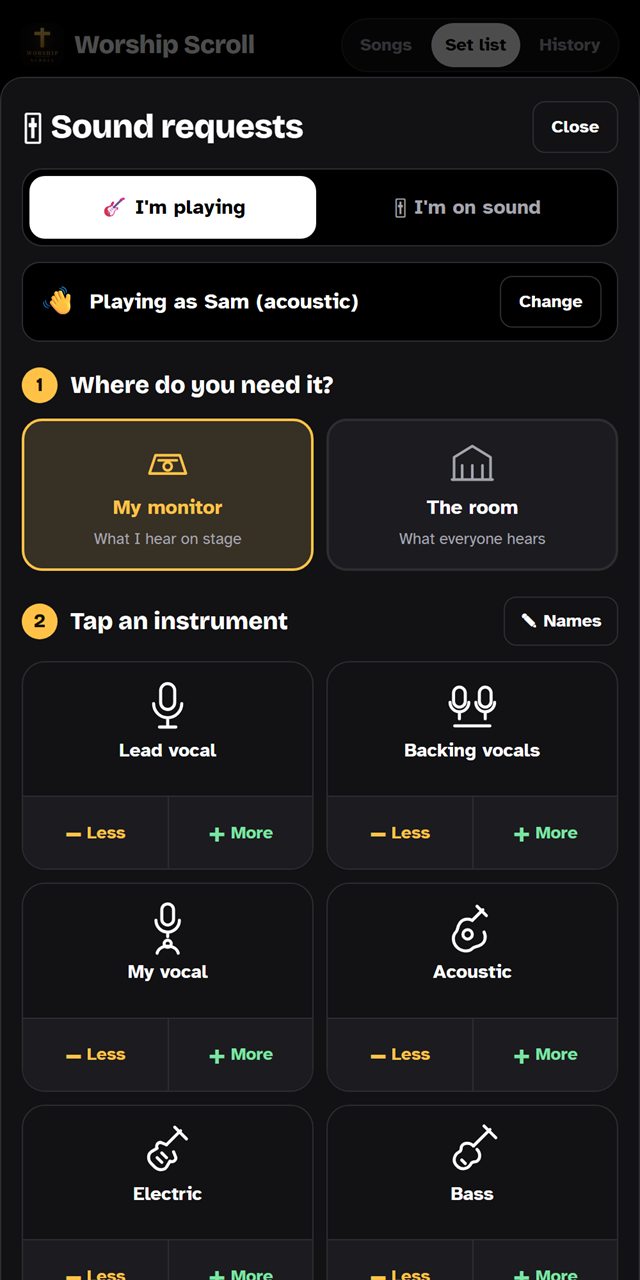
Musicians tap a quick request on stage and it shows up on the sound desk right away. No more waving across the room during a quiet song.

The sound request buttons for monitor mixes
History & reporting

Know what you sang, and when

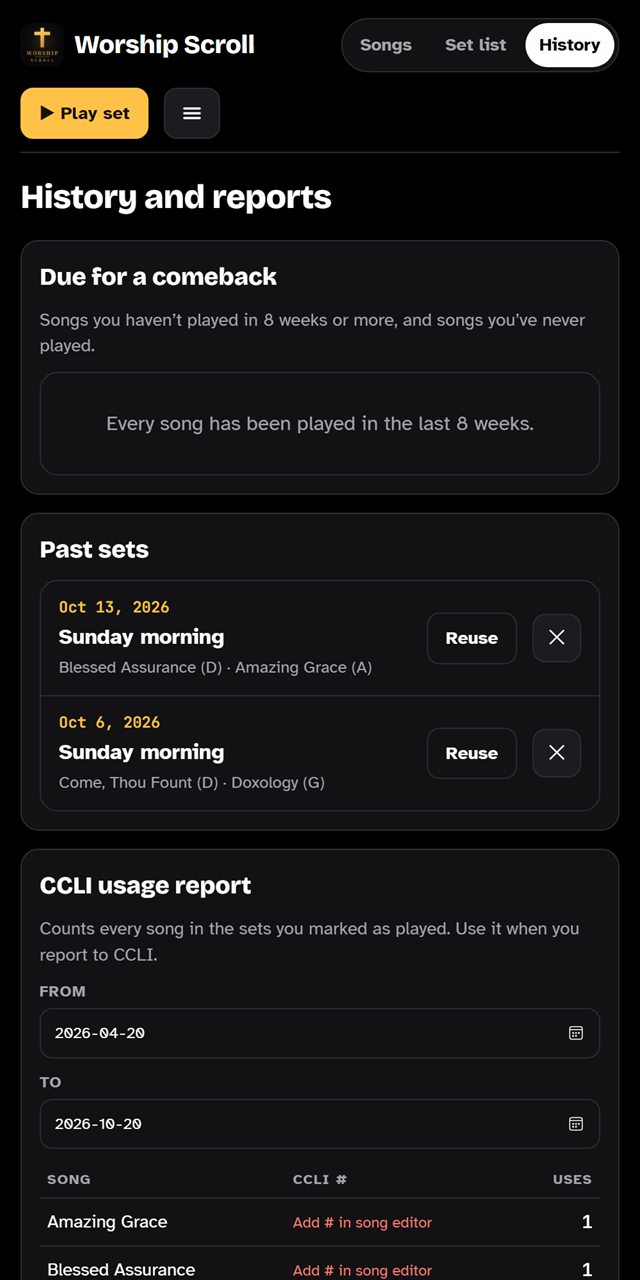
Every set you play is saved. See which songs you've used lately, find ones you haven't sung in a while, and have the list ready when it's time for your CCLI report.

Song history showing dates each song was played
And more

Built for real Sunday mornings

Scan your chord charts

Take a photo or screenshot of a chord sheet and Worship Scroll turns it into a song you can edit.

Keeps going if Wi-Fi drops

Your set list is saved on the device, so the songs keep scrolling even when the church internet doesn't.

Installs like an app

Add it to the home screen on iPhone, iPad, Android or a computer. No app store needed.

One account for the whole team

Your church signs in once on each device. Every musician, the sound desk and the projector share the same songs.

PowerPoint download

Prefer to run slides from PowerPoint? Download the whole set as a slideshow file.

Built-in guide

Short how-to videos and a step-by-step guide inside the app help new volunteers get going fast.

How it works

Ready before Sunday

Start your free trial

Create your church's account with an email and password. No credit card.

Add your songs

Type them in, paste them, or scan a chord chart. Then build this week's set.

Sign in on every device

The band, sound desk and projector all sign in with the church account and follow along.

Pricing

One simple price for your whole church

Every feature, every device, your whole team. Prices in Canadian dollars.

7 days free

Worship Scroll

Try everything free for 7 days, then choose monthly or yearly.

$29 CAD
per month
$290 CAD
per year
2 months free
  • Unlimited songs and set lists
  • As many musicians and devices as you need
  • Congregation slides, sound requests and history
  • Sermon slides and the pastor’s notes
  • Chord chart scanning
  • Cancel anytime
Start your 7-day free trial

No credit card needed to start.

Questions

Good to know

What devices does it work on?

Any recent phone, tablet or computer with a web browser: iPhone, iPad, Android, Windows, Mac and Chromebook. You can add it to the home screen so it opens like a regular app.

What happens if the church Wi-Fi drops?

Once a device has opened your set, the songs are saved on it and keep working without internet. Any changes you make offline are sent as soon as the connection comes back.

Does it come with songs?

No. You add your own songs by typing, pasting, or scanning a chord chart. That way your library has exactly the versions and keys your team plays.

Do we still need a CCLI licence?

Yes. Worship Scroll helps you display and track the songs you use, but your church still needs its own licence to project and copy song lyrics. The history screen makes reporting easier.

Who can see our songs?

Only people signed in to your church's account. Each church's songs, sets and history are kept private and separate.

What happens after the free trial?

After 7 days you can choose a monthly or yearly plan to keep going. If you don't, nothing is charged. You can cancel a subscription anytime from inside the app.

How do I get in touch?

Email [email protected]. We read every message and usually reply within a day or two.

Give your team one less thing to worry about

Try Worship Scroll free for 7 days. No credit card needed.

Start your free trial